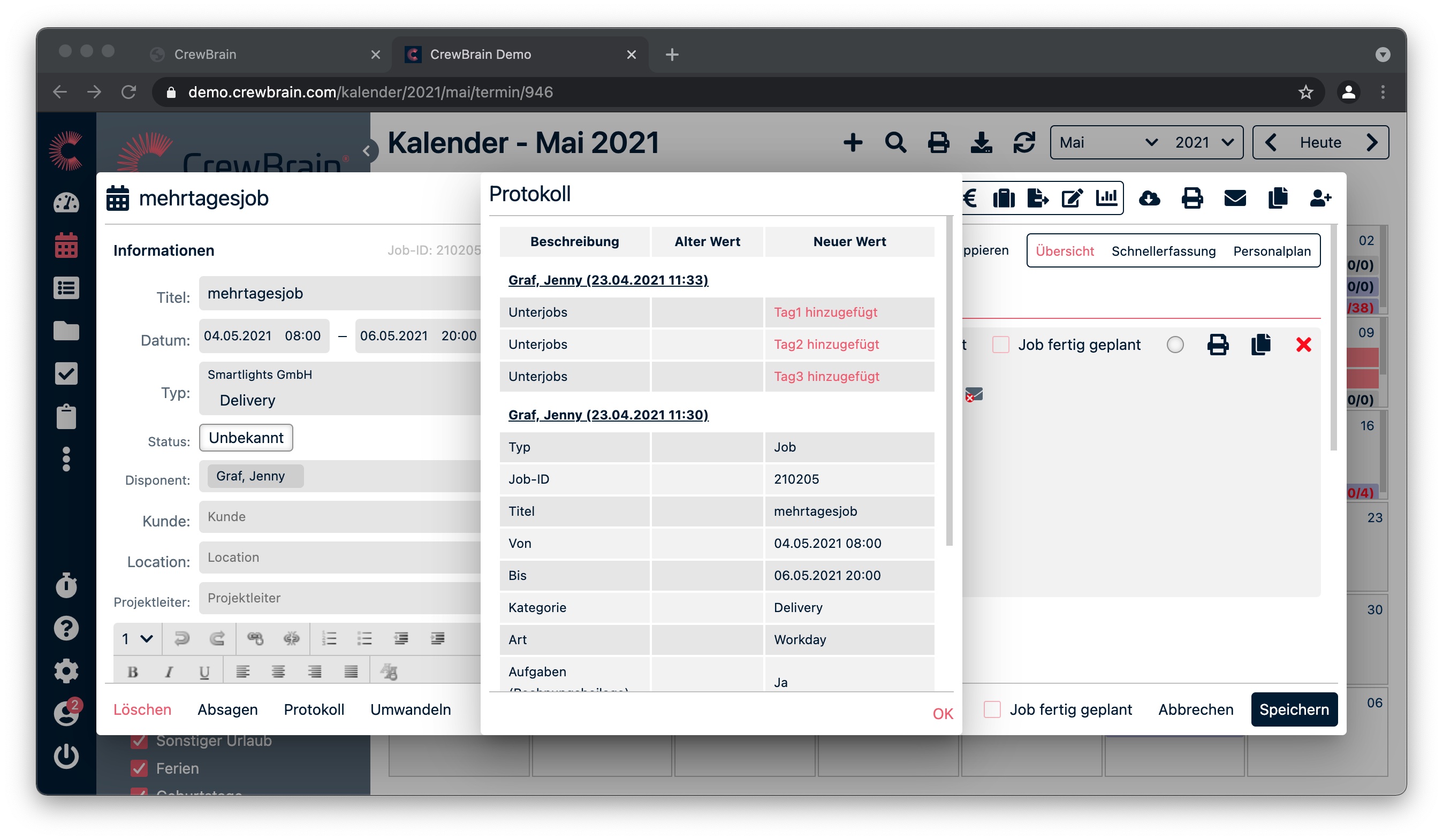
In CrewBrain, you have the option to view the history in almost every view. The history logs changes to base data, jobs, tasks, and many other objects. To view the log, simply click the Log button in the respective view (usually at the bottom of the screen).
The log provides a clear overview of all relevant information, any changes made, and who created this information and when. Changes to base data, jobs, tasks, and many other objects are logged in the history. This allows you to trace which changes were made, when, and by whom.
Each log has its own print view.
If a log is available at all and how many days are logged, depends on your chosen CrewBrain plan.