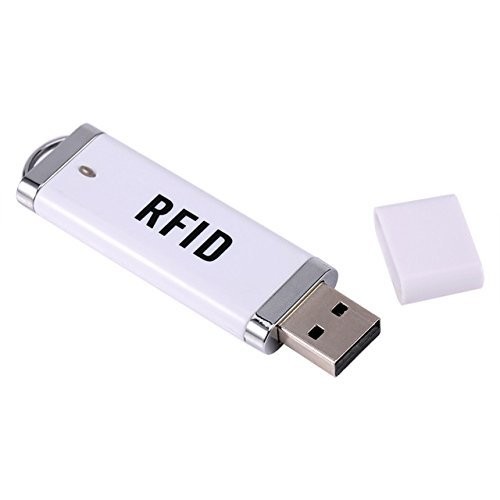
CrewBrain offers the possibility to record working hours using a central time clock (e.g., at the entrance of the office or warehouse). At the central time clock, employees authenticate themselves either with their personnel number and a PIN or alternatively via RFID chips.
¶ App or Web
The central time clock is available both as a web interface (https://ihrefirma.crewbrain.com/stempeluhr) and as a native Android app in the Play Store. Both options are well suited for use as a central time clock, with the native app offering more options for RFID readers and therefore being preferable when using RFID chips.
¶ Setup
¶ Activate time clock
The central time clock must be activated via Administration > Time recording > Time clock.
¶ Set up PIN
Each employee must set a personal PIN for using the central time clock under My Account > Password. This can be omitted when using RFID chips.
¶ Register RFID chips
If the central time clock is to be used with RFID chips, the respective RFID chip IDs must be stored in the statement period of the individual employees. To read the codes of the RFID chips, our native Android app offers a corresponding debug mode. Alternatively, many of the RFID readers listed below can be connected directly to any PC to read the chip data. It is advisable, if in doubt, to purchase an additional RFID reader for these purposes.
¶ Suitable hardware
For using the central time clock, a tablet or PC with a touchscreen is required. In principle, the central time clock can be run on almost any tablet or PC, so the choice of system should be based on general criteria:
- Can the tablet / PC be securely mounted (e.g., with VESA, wall mount, or stands)?
- Are suitable RFID readers available for the system?
- Do I want to use the native app or the web view?
Below we would like to introduce suitable hardware for the central time clock, some of which you can also purchase directly from us.
¶ EloTouch I-Series
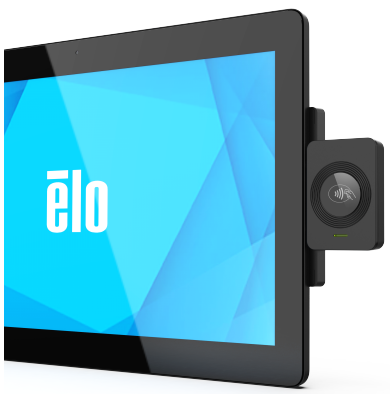
The best and most comprehensive option is to use the POS terminals from EloTouch. Suitable here is the I-Series for Android. These tablets can be well mounted using a VESA adapter and pole stands additionally offered by Elo, are robust, and receive long-term updates. The additionally available RFID reader is firmly screwed to the tablet and thus cannot be lost.
EloTouch devices can be obtained directly through us. Please contact our support to request an offer. As of June 2023, prices are approximately €490 for the tablet and about €180 for the RFID reader (prices are net). Unfortunately, the tablets are in high demand, so delivery times of up to several months may occur.
When using the EloTouch RFID readers, the installation of the corresponding driver app is mandatory.
¶ iiyama ProLite
A more affordable alternative is the ProLite tablet (from approx. €210 net). It also has VESA mounting points and can thus be combined with any wall mounts and stands. A major disadvantage of this option is that this tablet only supports Android 8 and no updates are offered. In addition, due to the older system and a weaker processor, it is generally slower in processing the stamping operations. The tablet can be combined with one of the RFID readers listed below.
¶ Xoro MegaPAD
Priced between the aforementioned tablets is the Xoro MegaPAD, which also has a VESA mount and at approx. €270 net lies between the two systems mentioned above, but has not yet been tested by us. However, it supports Android 11 and the processor is stronger than that of the iiyama ProLite. The tablet can be combined with one of the RFID readers listed below.
¶ RFID Reader
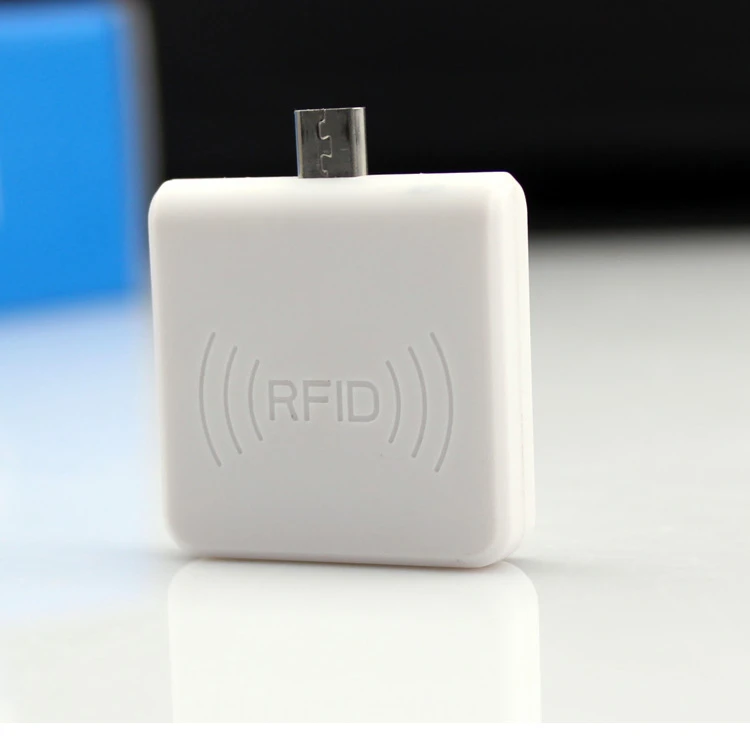
In connection with the EloTouch I-Series, the specially available Edge Connect RFID reader should definitely be used. For all other variants (not necessarily only those listed here), RFID readers that function as virtual keyboards are best suited. Such RFID readers are available, for example, as USB sticks or USB-C adapters in various online stores. Please make sure when purchasing that the frequency matches the RFID chips used!