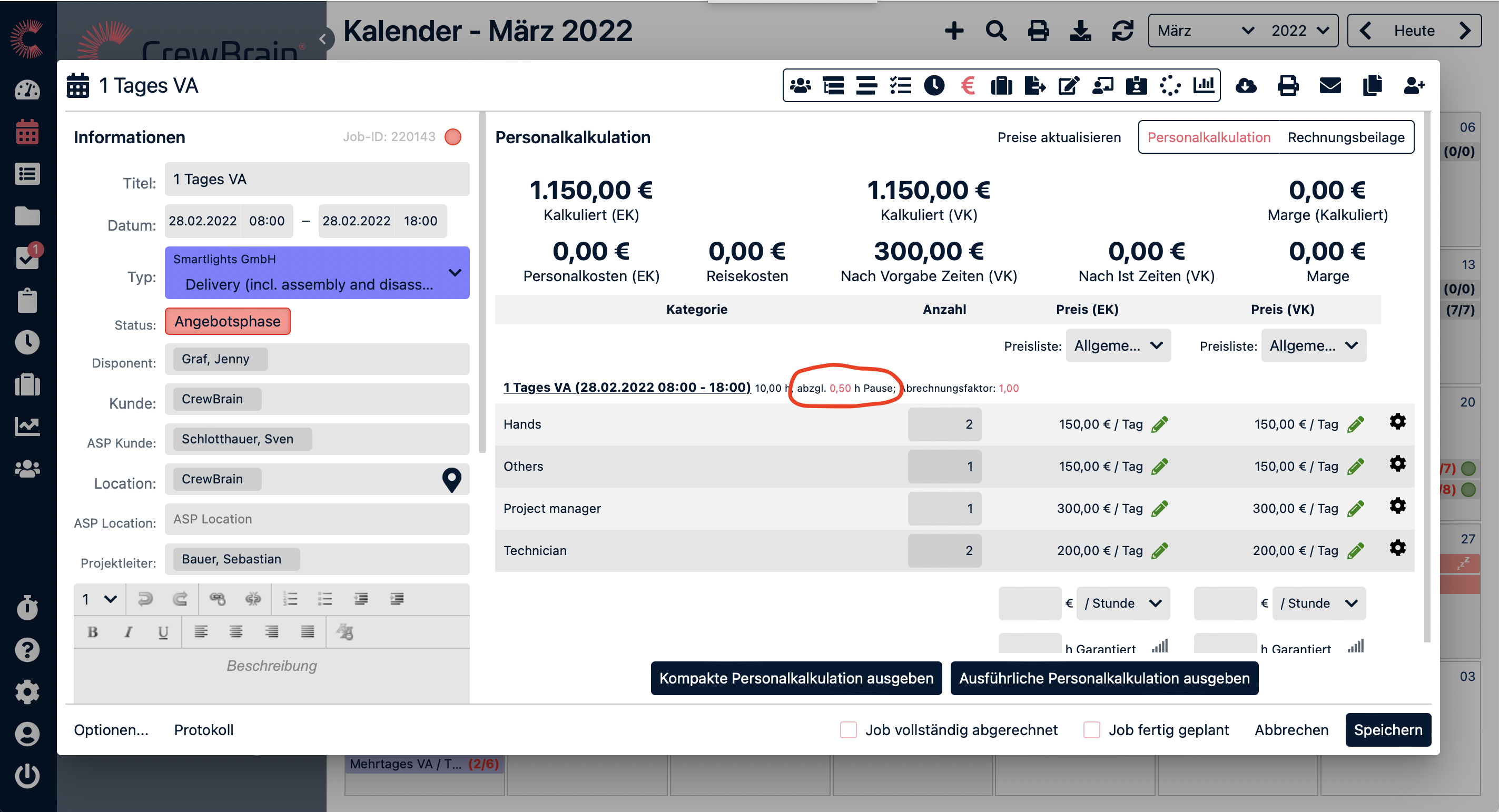
Personnel calculation helps you calculate the costs of a project or job in advance based on the planned personnel categories and their retail and wholesale prices. The menu item is located in the job dialog within the invoice supplement.
¶ Staffing needs & prices
Here you will find a list of personnel requirements divided into categories. The number of employees per category can be changed here if necessary. First, enter the purchase price (PP) for the respective employee category. You can either transfer this from a previously created price list, enter it individually for each category, or, if all categories receive the same wage, enter it below the list and apply it to all categories.
Wages can be entered as flat rates, hourly rates, or daily rates. When calculating hourly rates, it is possible to enter a wage scale. The same applies to the sales price (SP). You will see the calculation at the top as soon as you enter the first salaries. This allows you to obtain a rough calculation even without having created any specific personnel records.
For permanent employees, an average hourly wage is calculated based on the salary stored in the accounting period plus ancillary wage costs and used to calculate the actual costs.
¶ Breaks
If the job includes a break, this can be defined to the right of the job title and will then be deducted from the duration of the job when calculating the cost. Not only the duration of the break, but also the exact time can be entered here. This makes it possible, for example, to calculate surcharges correctly in the calculation. This break is then also taken into account in the invoice supplement.
¶ Surcharges
Surcharges can also be calculated using personnel costing. In this case, however, it is important that the surcharges are defined using price lists. A price list can be created either globally (Administration > Customers > Price Lists) or in the customer profile.
¶ Output
In the personnel calculation settings, you can define in more detail what exactly is listed there. For example, if several customers are used in the jobs in a project, the corresponding option in the settings can be used to generate individual personnel calculations for each customer. The calculation can then be exported as a PDF file.
¶ Shipping to the customer
The calculation can be sent to the customer for signature from a job or project. To do this, go to the “Calculation” print view and then click on “Send document...” In this way, final approval for implementation can be obtained from the customer based on the calculation.